
IT & infrastructure
Your office network, set up right and kept that way.
Cabling, Wi-Fi, computers, shared files, and nightly off-site backups, built for small offices and shops. Then we keep an eye on all of it, so you don't have to.
The usual story
A router from the internet company, a tangle of cables, and files on whoever's laptop.
Most small offices grow their IT one emergency at a time. The Wi-Fi dies in the back room. The guest network is the same as the office one. Backups are a thumb drive somebody forgot about. It works until the day it really doesn't.
We set it up properly once, write it all down, and then look after it.
The build-out
Everything an office runs on, set up once and set up right.
Network and cabling
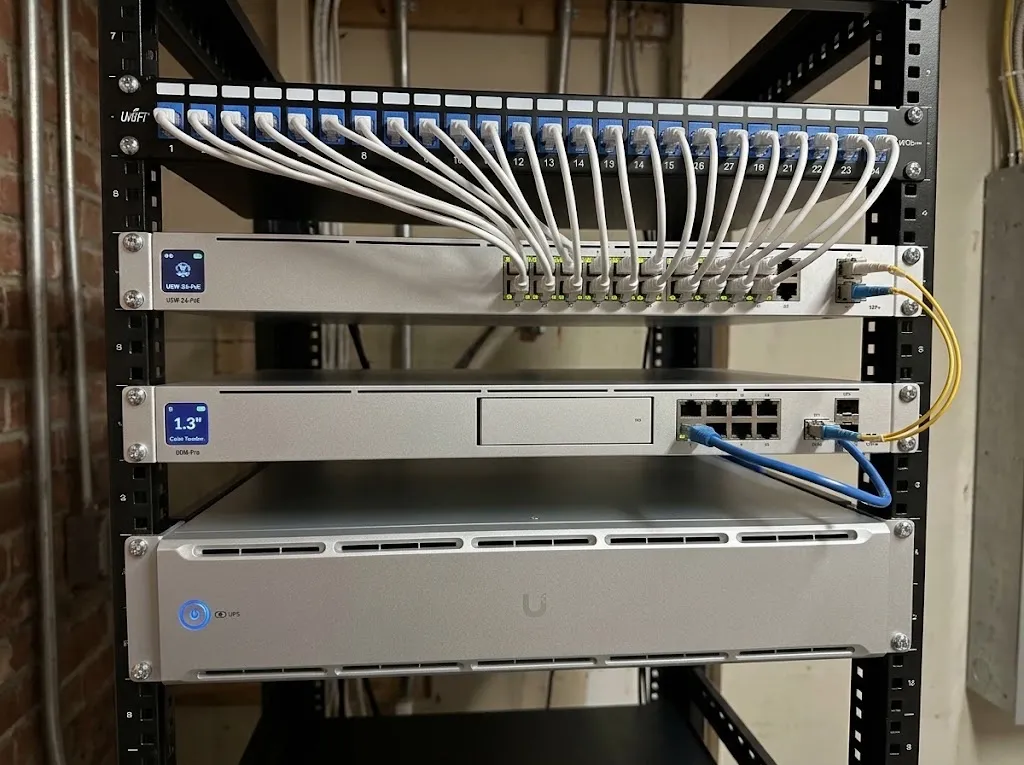
Business-grade gateway and switch on a tidy rack, with a labeled patch panel. We pre-run drops for equipment that hasn't arrived yet, so hooking it up later takes minutes.
Separate zones, so nothing interferes
Office computers, guests, cameras, and production equipment each get their own network. Machines that should never touch the internet stay walled off.
Wi-Fi that reaches every corner
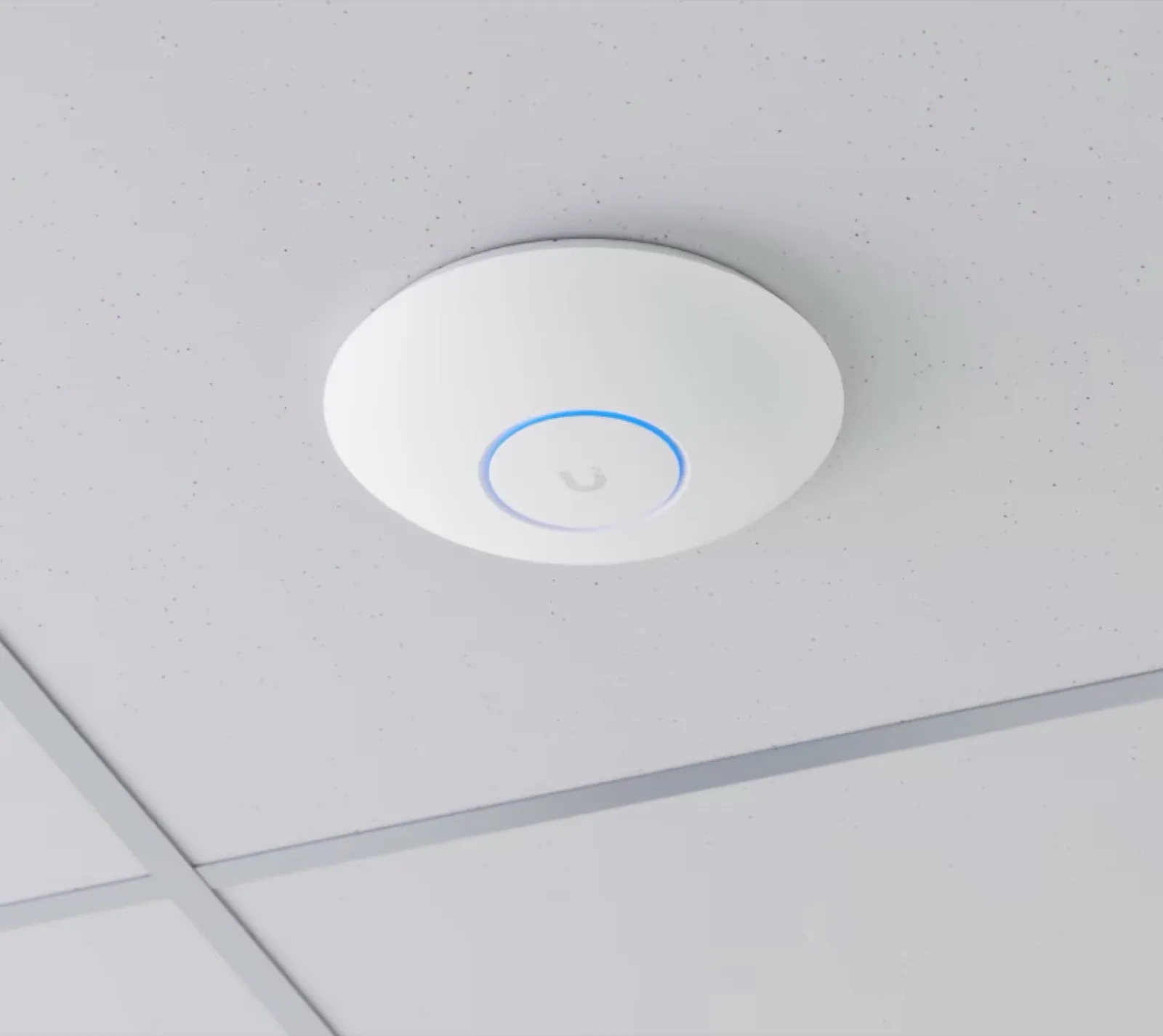
Commercial access points, placed after we walk the space and measure. Separate staff and guest Wi-Fi, with a printed QR sheet so visitors can sign in.
Office phones that run on your network
Desk phones on UniFi Talk, on the same network as everything else. Keep your existing number, set up a call menu and ring groups, and get voicemails in your email. No separate phone system to look after.
Computers, bought and set up
Windows or Mac, we spec and order the laptops, desktops, monitors, docks, and printers, then set each one up from scratch: the right OS version, full-disk encryption, the junk removed, the desk ready to work.
Shared files on your own storage
A network storage unit (NAS) at the office holds the company files. Every computer sees the same shared drives, every time it starts up.
Off-site backups, every night
A second storage unit at the owner's house, or with someone they trust, copies everything automatically each night. A fire, flood, or break-in at the office can't take your files with it.
Battery backup for the rack
A UPS keeps the internet and shared drives up through short outages. On a long one, the equipment shuts itself down safely instead of crashing.
Printing and scanning that just works
Every computer and phone prints to the office printer, and scanning is one touch, straight into a shared folder everyone can find.
Wi-Fi
Measured, not guessed.
We walk every corner of the space and measure the signal, including the spots that always cut out. Access points go where the numbers say, not where the outlet happens to be.
After the install
Then we look after it. Quietly.
Most of the work after setup is the kind you never see: updates at night, a drive remapped before anyone notices, a printer fixed remotely while you're at lunch.
Remote monitoring (RMM)
Every computer checks in to our management system. We see its health, push updates, fix drives and printers, and handle most problems without a site visit, often after hours.
Your network, written down
A plain-English document of your setup and a quick-reference sheet for each person. Nothing important lives only in one person's head.
New hires and new machines
Someone joins: we order the laptop, set it up, and hand it over ready. Someone leaves: we close their access.
Pricing
A one-time build-out, then one flat monthly.
After a walkthrough. You get a written equipment list and a price before anything is ordered.
- ✓Walkthrough + written plan
- ✓Network, rack, and cabling
- ✓Wi-Fi measured and placed
- ✓Computers spec'd, ordered, set up
- ✓NAS + off-site backup
- ✓Battery backup
- ✓Office phones (VoIP), if you want them
Your IT department, without hiring one. We watch everything, fix what breaks, and handle the changes as you grow.
- ✓Remote monitoring (RMM) on every computer
- ✓Updates and security patches
- ✓Virus protection monitored
- ✓Hardware health checks
- ✓Network, Wi-Fi, and backup checks
- ✓Remote help by phone or text
- ✓New hires and new machines
Not ready for a retainer? Call us for a single job: a new printer, a Wi-Fi dead zone, a computer that won't behave.
- ✓Single fixes and installs
- ✓Remote or on site
- ✓No contract
On-site visits and equipment are billed separately.
Questions we hear a lot
FAQ
Do we have to replace everything we already have?
What equipment do you use?
Where are you?
What's in the monthly retainer?
We're small. Is this overkill?
Moving, opening, or just fed up?
Let's walk your space.
We'll look at what you have, tell you what's worth keeping, and send a written plan.
Book a walkthrough →